By Unflag Team
10 Fact Checking Tools for Journalists and Writers in 2026
Compare 10 fact checking tools for journalists and writers in 2026, with pros, cons, and workflows for checking images, sources, claims and numbers.
Most verification work starts with one of four questions: has this claim already been checked, where did this image come from, does the source hold up, and do the numbers add up? The right fact checking tools answer different parts of that chain. A reverse-image search won't tell you whether a caption is accurate, and a source-rating service won't recalculate a table for you.
This list follows that order and puts Unflag's Fact Checker first for checking text before publication. The remaining tools cover claims, images, archives, sources, scholarly evidence, calculations, and team workflows. Each entry identifies the best use case, the trade-off, and the point in a single article workflow where the tool earns its place.
A useful process matters because automated fact-checking isn't one magic accuracy score. Research benchmarks distinguish precision, recall, and F1-score at claim, segment, and document levels, while OpenFactCheck's evaluation shows why teams should also inspect calibration, abstention, source quality, and citation entailment. A tool that flags only obvious errors may have high precision but weak recall. One that flags everything may bury an editor in false positives.
Table of Contents
- 1. Unflag
- 2. Google Fact Check Explorer
- 3. TinEye
- 4. InVID and WeVerify Verification Plugin
- 5. Internet Archive Wayback Machine
- 6. NewsGuard
- 7. ClaimBuster
- 8. scite
- 9. Wolfram|Alpha
- 10. Meedan Check
- Top 10 Fact-Checking Tools, Quick Feature Comparison
- Turn the Tool List Into a Repeatable Checklist
1. Unflag
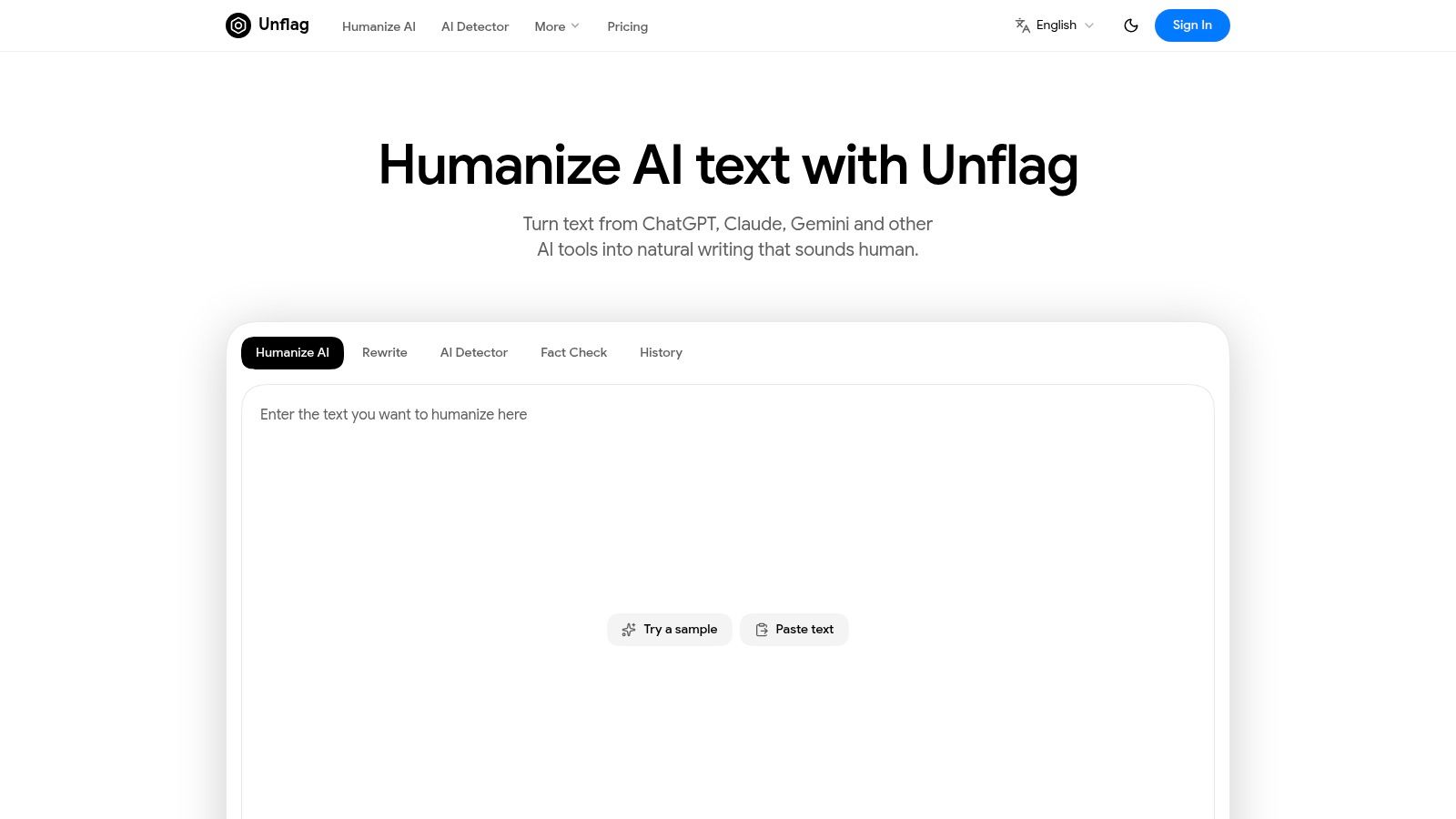
Unflag is the strongest first pass when your fact-checking task begins inside a draft. It combines an AI Humanizer, paraphraser, AI Detector, and Fact Checker in one workflow, so you can review a paragraph's wording, AI-origin signal, and factual support without moving text between unrelated services.
The Fact Checker flags unsupported claims against web sources and helps identify hallucinations before submission. That makes it useful for students, journalists, SEO writers, editors, job seekers, and professionals working from drafts generated with ChatGPT, Claude, Gemini, or similar tools. The free plan covers humanizing, rewriting, and AI detection for short actions, while Unflag Plus adds higher usage, removes ads, and enables instant fact checking.
The platform says its most advanced model reaches 99.5% accuracy on essays, reports, and articles, and that it serves 30,000+ users worldwide. Those are product claims, not a substitute for checking the underlying evidence in a high-stakes article. Unflag also says it supports many languages, runs on the web and as native iOS and Android apps, follows GDPR requirements, and doesn't sell personal data.
Where Unflag fits
Use it after drafting and before final source review. Paste the text into the AI Humanizer, inspect the AI score with the AI Detector, then run the Fact Checker on claims that could affect accuracy, reputation, health, finance, or public understanding.
Practical rule: Treat a flagged claim as a research task, not as a verdict. Open the cited evidence, check the date and context, and preserve the source you actually relied on.
The trade-off is clear. Unflag reduces tool switching and gives writers a useful first pass, but it doesn't guarantee that rewritten text will bypass GPTZero, Turnitin, Originality.ai, or another third-party detector. Detector results vary by system and use case. The free tier also has short per-action limits, and full fact-checking requires Plus.
A practical before-and-after looks like this:
Robotic draft: "In today's world, it is essential for writers to use fact-checking tools in order to ensure that the information they provide is accurate and reliable."
Natural revision: “Before publishing, writers should check each important claim against reliable evidence. The right tool can catch weak sourcing, but an editor still has to judge context.”
Paste your text into Unflag's AI Humanizer, it's free, then use the Fact Checker to decide which claims need primary-source review.
2. Google Fact Check Explorer
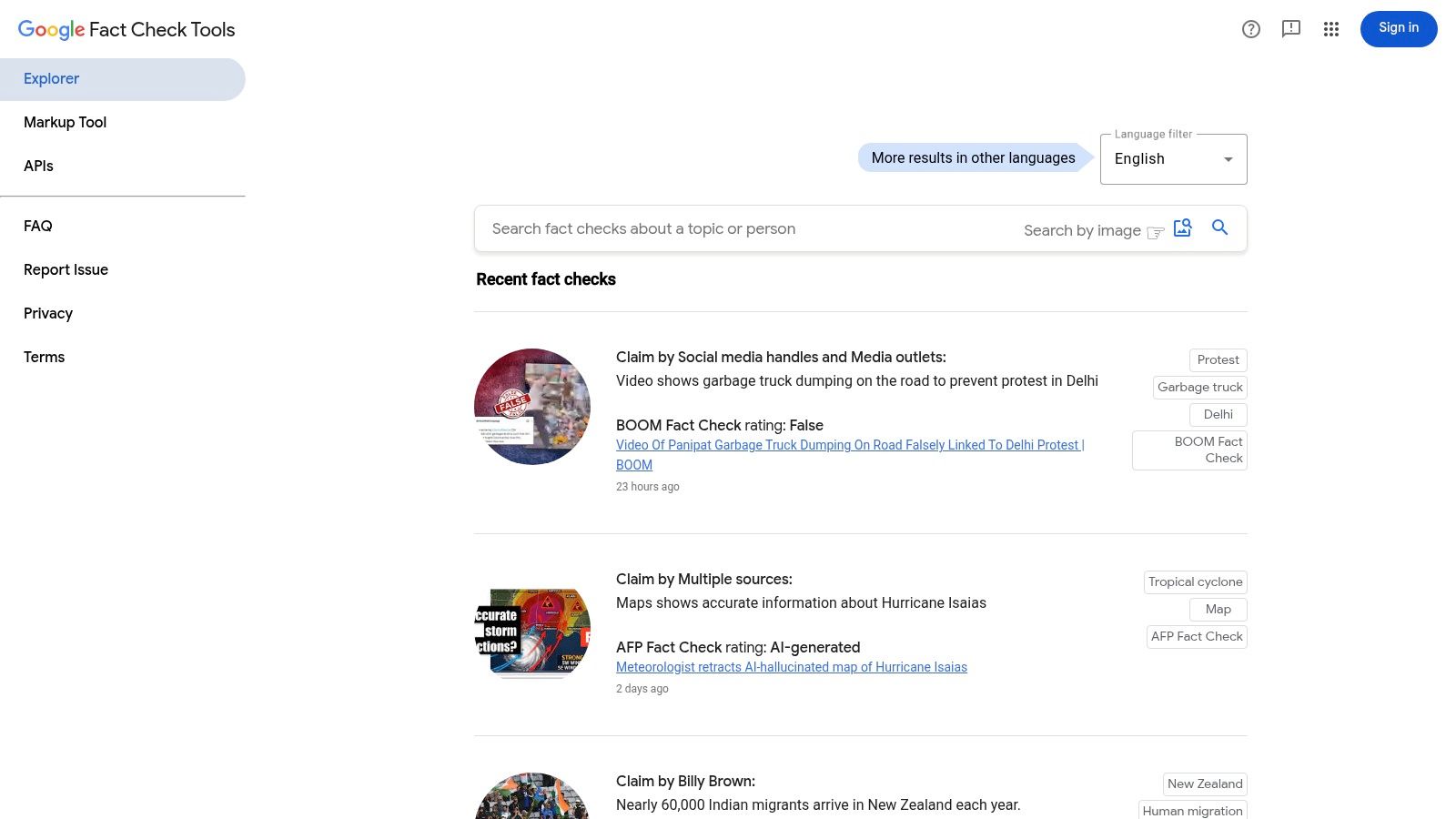
Google Fact Check Explorer is the quickest place to see whether someone has already investigated a claim. Search by wording, topic, person, entity, URL, image upload, or image URL, then inspect results from fact-checking outlets that publish structured ClaimReview data.
That makes it particularly useful during the first pass through an article. A writer covering a public statement can search a distinctive sentence before spending time rebuilding the evidence trail. An editor checking a viral image can use the image mode to find prior fact checks or related coverage.
Best use and limitation
The tool is free, fast, and requires no setup. It can surface multiple publishers and offers filters for publisher, language, and recency. If a claim has already been checked well, that result can point you toward the original documents and help you avoid duplicating work.
The limitation is structural. Explorer aggregates published checks, it doesn't independently verify the claim. Coverage depends on fact-checkers publishing the relevant work with proper markup. A missing result doesn't mean a claim is true, and an existing result may address a narrower version of the wording you're investigating.
For a draft workflow, search the exact claim first, search a shorter distinctive phrase second, and compare the date and context of each result. Then use Unflag's fact-checking workflow to scan the surrounding draft for additional unsupported statements that the published check doesn't cover.
A fact checker tells you where to look. It does not tell you a claim is true.
Trade-off: Google Fact Check Explorer is excellent for discovery and triage, but weak as a standalone verification system.
3. TinEye
TinEye handles a different question: where has this image appeared before? Upload a file or paste an image URL, then compare earlier appearances, visually similar results, and possible original sources. Sorting by oldest or best match helps when a social post presents an old photograph as a new event.
It's especially useful for recycled disaster images, miscaptioned political photographs, stock imagery presented as documentary evidence, and screenshots that have been cropped or lightly altered. Browser extensions make the initial lookup quick from a news page or social feed.
What to record
Don't stop at the oldest result. Open the earlier page, note its publication context, and compare visible details such as weather, clothing, signs, shadows, landmarks, and cropping. An earlier appearance can establish that an image predates the claim, but it may not establish who made it or what actually happened.
TinEye also offers browser extensions and higher-volume products such as MatchEngine. Those advanced services are aimed at organizations and carry different commercial terms, so they aren't necessary for a one-off article check.
Its index differs from other reverse-image services. That's the central trade-off: TinEye is fast and focused, but one engine won't show every useful match. Run the image through another search method when accuracy matters most, then verify the earliest credible source rather than treating search order as proof.
Reverse image search finds the first appearance, rarely the intent.
Trade-off: TinEye is efficient for provenance and reuse, but it doesn't interpret the image's caption or prove that the earliest indexed copy is the original.
4. InVID and WeVerify Verification Plugin
The InVID and WeVerify Verification Plugin is built for the moment a static image check isn't enough. The free Chrome and Firefox plugin extracts video keyframes, sends frames to multiple reverse-image engines, inspects metadata, magnifies details, and offers tools for social-video verification.
A journalist working from a short clip can extract several frames instead of searching only the opening image. That matters because platforms crop, recompress, and alter videos, while the most revealing frame may appear briefly in the middle. The plugin also helps beginners move from a vague suspicion to a documented set of searches.
The learning curve
InVID is more capable than a single reverse-image search, but the interface asks users to understand what each operation can and can't establish. Metadata may be stripped or rewritten. Error-level analysis can suggest where to inspect an image, but it isn't proof of manipulation. Social-video helpers may depend on third-party services or logins.
Use it in a sequence:
- Extract keyframes: Choose frames that show faces, signs, buildings, or other searchable details.
- Search across engines: Compare results rather than trusting one index.
- Inspect context: Find the earliest credible upload and compare the claimed location and date.
- Preserve evidence: Save URLs, screenshots, and notes before the post disappears.
The plugin is designed for verification, not for polishing written copy. If the same article also contains AI-generated paragraphs, scan those separately with Unflag's AI Detector.
Trade-off: InVID offers a serious verification toolkit at no software cost, but first-time users need practice and some features rely on services outside the plugin.
5. Internet Archive Wayback Machine
The Internet Archive Wayback Machine answers a source question that writers often postpone until it's too late: what did this page say when I relied on it? Browse archived snapshots by URL and date, or use “Save Page Now” to create a timestamped capture before citing a page that may change.
That's essential for policy pages, corporate announcements, product claims, election information, research summaries, and news stories that are likely to be edited. A live URL can remain stable while its wording, figures, links, or headline changes. An archived capture gives an editor a way to inspect the evidence used at publication time.
Capture before you cite
Open the page, check its date and author, save the current version, and record the archive URL in your notes. If the page contains an important downloadable document, preserve that document separately where permitted. For a changing web application, capture the relevant page and keep a screenshot of the visible claim.
The archive has limits. JavaScript-heavy pages may not replay correctly, embedded media may be missing, and a single-page capture isn't a full-site backup. A page can also be archived after a change, so confirm that the snapshot matches the version you read.
Trade-off: The Wayback Machine is indispensable for accountability and link preservation, but it can't guarantee a perfect replay of dynamic content.
Archive the page before you cite it, because pages change.
6. NewsGuard
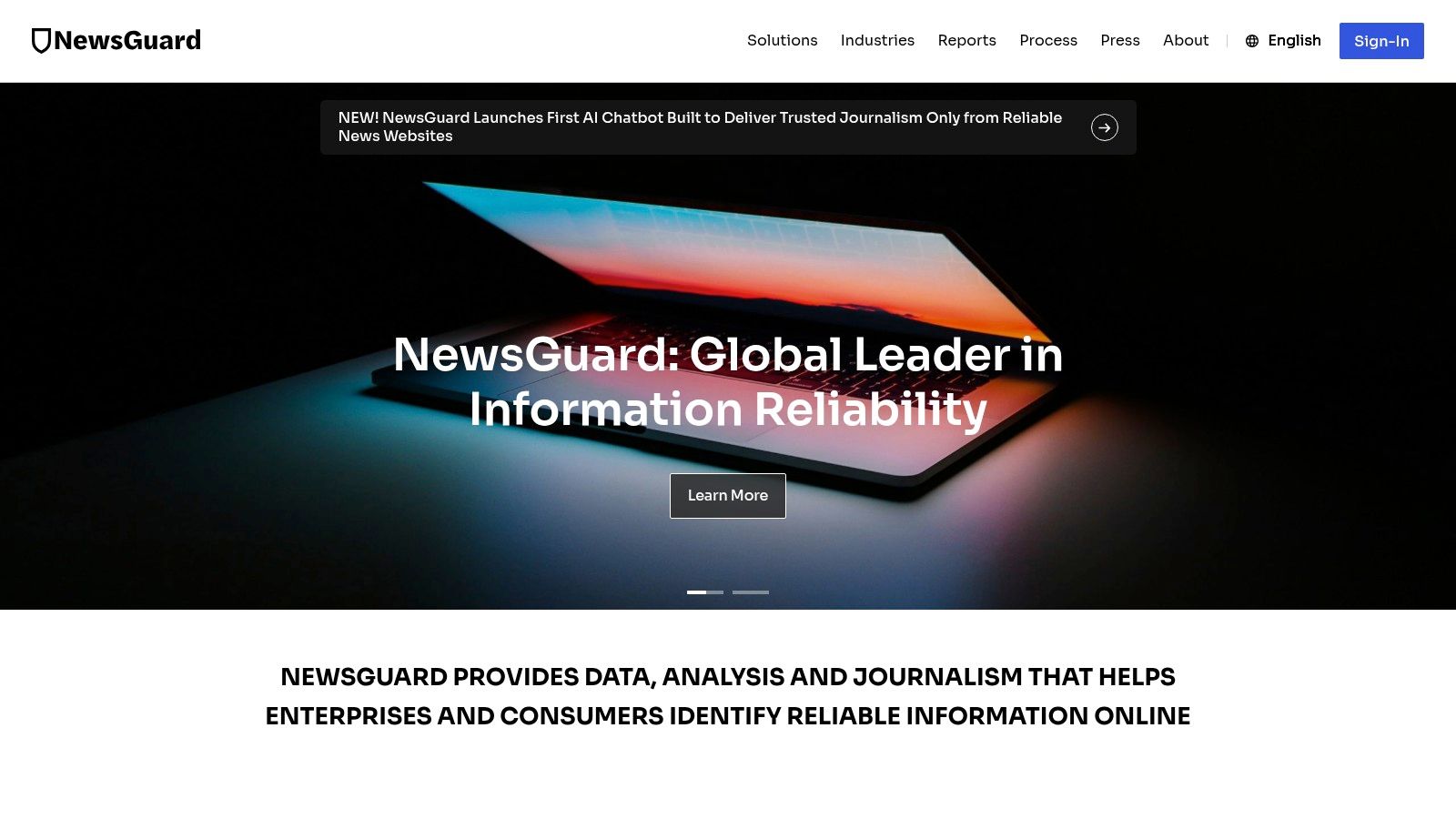
NewsGuard provides rapid source context while you browse. Its browser extension and database display “Nutrition Labels” based on journalistic criteria, helping users inspect a publisher's practices before relying on an article.
That's useful for students, researchers, and editors scanning unfamiliar sites. A source label can prompt a closer look at ownership, corrections, sourcing, and transparency instead of allowing a polished design or search ranking to stand in for credibility.
Source rating isn't article verification
NewsGuard rates sources rather than proving every individual article accurate. A generally reliable publisher can still publish an error, and a low-rated site can occasionally link to a correct primary document. Use the label as a prompt for source evaluation, not as a replacement for reading the article and checking its evidence.
The service says it covers 35,000+ publishers across the web, social platforms, television, and podcasts, with annual reviews and faster attention to trending dubious sites. Its ratings are presented on a 0 to 100 scale, and full personal access is paid.
For a source audit, inspect the label, identify the article's named evidence, open the primary material, and compare the article's claims with what that material states.
Trade-off: NewsGuard gives fast guardrails and transparent editorial criteria, but its publisher-level rating can't settle an individual claim.
7. ClaimBuster
ClaimBuster is designed for triage. Its sentence-level system identifies statements that appear check-worthy, and its APIs support scoring, matching known claims, and knowledge-base lookups. That makes it a strong fit for debate transcripts, press conferences, live events, and long interviews where a human editor can't investigate every sentence at once.
The value isn't a final label. It's prioritization. A newsroom can feed a transcript into the system, sort statements by likely check-worthiness, and assign the most consequential claims to reporters while retaining the original context.
A useful queue, not a verdict
ClaimBuster's research lineage and documented APIs make it more suitable for custom workflows than a casual browser search. It can reduce the manual work of finding factual assertions in a transcript, but a high score doesn't mean the assertion is false, and a low score doesn't mean it is safe to publish.
That distinction matters because automated systems can miss implied claims, qualifiers, dates, and claims that look ordinary but carry major consequences. Build a human review step around the output. Search published checks, identify primary evidence, and record the final decision separately.
The project is academic and production/API pricing isn't publicly listed, so teams may need to contact the organization before planning a deployed workflow. For a practical explanation of why generated answers still require verification, see whether ChatGPT can fact-check itself.
Trade-off: ClaimBuster is good at finding what deserves attention, but it doesn't complete the evidence review and may require integration work for a newsroom pipeline.
8. scite
scite is the specialist choice for scientific and scholarly claims. Its Smart Citations show whether later papers support, contradict, or merely mention a cited work, and its full-text search helps an editor inspect how researchers used a source.
That context is more useful than a bibliography alone. A writer may cite a paper because its title appears relevant, only to discover that later literature challenges its conclusion or that the citation mentions the paper without supporting its result. scite helps expose that difference before it enters an essay, report, or science article.
A better literature check
Search the paper or claim, open the citation context, compare supporting and contradicting uses, and check whether the cited work remains appropriate for the sentence you're writing. Browser tools, Zotero integration, dashboards, alerts, and an API support recurring research workflows.
The limitation is scope. scite is built around scholarly literature, not general web rumors, social posts, image captions, or everyday numerical claims. Coverage and citation interpretation also deserve human review. “Contradicts” is a signal to investigate the study design, population, date, and precise finding, not a shortcut to a new verdict.
Some features sit behind tiered paid access, which can matter for students and small editorial teams.
Trade-off: scite speeds up literature review and reduces citation cherry-picking, but it won't replace primary-paper reading or help much with non-scholarly claims.
9. Wolfram|Alpha
Wolfram|Alpha is the tool to use when a sentence contains a number that can be calculated, converted, or compared. It handles mathematical operations, units, rates, statistics, finance, geodesy, weather histories, and other structured quantitative questions.
Writers often verify the narrative around a number while failing to verify the arithmetic. Wolfram|Alpha can recalculate a percentage change, convert units, test a rate, check a date interval, or reproduce a formula. Its guided calculators and step-by-step solutions are especially useful for students and editors who need to show how a result was obtained.
Check the input before trusting the output
A correct calculation can still answer the wrong question. Confirm the units, date range, denominator, currency, geographic scope, and whether the input data came from a credible source. If an article says a value “doubled,” calculate the comparison yourself and inspect whether the dates and categories match.
Wolfram|Alpha isn't designed to debunk a political narrative or evaluate a media source. It can tell you what follows from the numbers you enter, not whether those numbers were collected properly. Advanced features and extended computation time are available through Pro tiers.
Trade-off: It provides reproducible numerical checks, but it can't judge the quality or meaning of the underlying data.
10. Meedan Check
Meedan Check is built for organizations that receive verification requests at volume. Newsrooms, NGOs, and fact-checking teams can use it to intake tips from messaging channels such as WhatsApp and Telegram, triage submitted material, coordinate multimedia checks, and publish findings.
Its strength is the shared workspace. A team can assign a tip, attach evidence, document decisions, manage multilingual work, and preserve a publication trail instead of keeping verification in private chats and scattered spreadsheets. AI aids can help group material and identify trends, while reporting features support recurring programs.
When a team needs more than bookmarks
Meedan Check fits tipline operations and collaborative verification better than solo research. Its documented privacy posture includes data-processing arrangements and controller or processor roles, which gives regulated organizations a basis for discussing deployment and responsibility.
The cost is operational complexity. A freelancer checking one article doesn't need a shared intake system, and hosted deployments or pricing require contacting Meedan. Teams also need clear policies for access, retention, escalation, translations, corrections, and publication.
The platform won't decide whether a claim is true without a documented evidence process. It gives the team a place to run that process consistently.
Trade-off: Meedan Check supports collaborative, multilingual newsroom work, but it requires organizational setup and isn't the quickest option for an individual writer.
Top 10 Fact-Checking Tools, Quick Feature Comparison
| Tool | Core features | UX / Accuracy | Value proposition | Target audience | Price |
|---|---|---|---|---|---|
| Unflag | Humanizer, paraphraser, AI detector, fact‑checker, native iOS/Android | Integrated workflow; claims 99.5% on essays; mobile apps | All‑in‑one humanize + detect + fact‑check; privacy‑forward | Students, non‑native speakers, writers, professionals | Freemium; Unflag Plus $45.99/yr (annual saves ~57%) |
| Google Fact Check Explorer | Search ClaimReview fact‑checks; image upload/search; filters | Fast, no setup; depends on third‑party coverage | Quick triage of existing fact‑checks across publishers | Students, journalists, educators, SEO writers | Free |
| TinEye | Reverse‑image search (upload/URL), browser extensions, APIs | Very fast for prior image appearances; index varies | Find originals, stock sources, manipulated/reused images | Journalists, researchers, investigators | Free basic; paid API/enterprise |
| InVID & WeVerify Plugin | Video keyframes, multi‑engine reverse image search, metadata, ELA hints | Powerful verification suite; moderate learning curve | Comprehensive image/video forensics in one plugin | Journalists, OSINT researchers, educators | Free |
| Internet Archive Wayback Machine | URL/time snapshots, "Save Page Now", browser tools | Reliable for static pages; dynamic content may not replay perfectly | Timestamped evidence and web preservation against link‑rot | Researchers, journalists, legal/archival use | Free |
| NewsGuard | Site reliability scores, "Nutrition Labels", editorial reviews | Transparent scoring; fast context while browsing | Instant source reliability guardrails for readers | Researchers, students, non‑experts, news consumers | Freemium; paid personal access for full features |
| ClaimBuster | Sentence‑level check‑worthiness scoring, APIs, datasets | Effective triage during live events; research‑backed | Prioritizes claims to verify; integrates with newsroom pipelines | Newsrooms, fact‑check teams, developers | Research/free; contact for production/API pricing |
| scite | Smart citations (support/contradict/mention), extension, API | Speeds literature checks; scholarly focus | Verify scientific claims via citation context | Researchers, students, editors, librarians | Freemium with paid tiers |
| Wolfram|Alpha | Computational engine, unit conversions, calculators, Pro features | Authoritative numeric checks; reproducible computations | Reliable quantitative verification and calculations | Students, professionals, data analysts | Free basic; Pro subscription for advanced features |
| Meedan Check | Tipline ingestion, multilingual workspaces, collaboration, publishing | Enterprise‑grade; built for team workflows | End‑to‑end newsroom workflow for tiplines and multilingual checks | Newsrooms, NGOs, fact‑checking organizations | Open‑source; hosted/enterprise pricing via contact |
Turn the Tool List Into a Repeatable Checklist
A strong verification workflow doesn't begin with the tool that has the most features. It begins with the claim and moves through evidence in a fixed order. That keeps writers from treating a source label, search result, or model score as a final answer.
Use this sequence for every article draft:
- Search existing checks. Put the exact wording into Google Fact Check Explorer, then try a shorter distinctive phrase. Read the full result, not just its label, and check whether it addresses the same date, person, place, and meaning.
- Separate claims from wording. Highlight sentences that state facts, figures, causes, dates, comparisons, or attribution. A polished sentence can still contain several claims.
- Verify image origins. Run photographs through TinEye and use InVID and WeVerify for video keyframes. Compare captions, locations, dates, edits, and earliest credible appearances.
- Archive the evidence. Save important pages with the Wayback Machine before you cite them. Keep the archived URL, publication date, author, and the exact passage that supports your sentence.
- Rate the source. Use NewsGuard for quick publisher context, then inspect the article's methodology, ownership, corrections, and named evidence. Prefer a primary document where one exists.
- Check scholarly claims. Use scite to see whether research is supported, contradicted, or merely mentioned by later papers. Read the original study before making a strong claim.
- Recalculate every number. Enter the arithmetic into Wolfram|Alpha, then audit the source data, denominator, units, date range, and scope.
- Triage at scale. Feed long transcripts or tipline submissions into ClaimBuster or Meedan Check when a team needs a review queue. Keep a human editor responsible for the conclusion.
- Run the draft pass. Use Unflag to identify unsupported statements, review AI-origin signals, and improve awkward wording without confusing a rewrite with evidence.
- Publish the trail. Link the relevant source directly, distinguish supported from unresolved claims, and record corrections when new evidence changes the conclusion.
Research supports this evidence-first approach. An MIT research brief found that warning labels reduced belief in labeled false information by nearly 28% and reduced the likelihood of sharing it by approximately 25% in an online experiment, but a separate study in Nature Human Behaviour found that misinformation interventions can also reduce perceived credibility of factual information. The practical lesson is to show evidence, calibrate confidence, and distinguish false, unsupported, disputed, and verified rather than presenting every result as binary.
The scale of the work also explains why tools matter. Duke Reporters' Lab recorded 11 fact-checking sites in 2008 and 424 active projects in 2022, while its 2023 census identified 417 active fact-checkers in more than 100 countries and 69 languages. That expansion makes automated claim extraction, source comparison, evidence retrieval, and multilingual review useful workflow support, not a replacement for editorial judgment.
Multilingual verification deserves its own caution. On the 25-language X-Fact dataset, a specialized model achieved 57.7% macro-F1, while the strongest tested 7 to 12 billion parameter LLM reached 16.9%; a separate retrieval study reported 92% accuracy for monolingual data versus 85% for crosslingual data. Those figures show why a translated verdict isn't the same as checking a claim against authoritative local sources.
The evidence trail should remain visible. The International Fact-Checking Network's criteria require significant evidence to be sourced and linked when available, with primary sources preferred where suitable. A Stanford-led evaluation reinforces the same operational point: across more than 6,000 claims and 15 large language models, curated evidence raised average accuracy by 233%, with the strongest configuration reaching a 0.90 macro-F1 compared with 0.27 without curated context. Don't ask a model to judge a claim in a vacuum when you can retrieve and inspect the evidence first.
Online searching alone can mislead. Across five Stanford experiments, searches intended to evaluate false news sometimes increased belief in that misinformation when lower-quality results and data voids reinforced the claim. Search broadly, but control source quality and compare independent evidence.
Paste your text into Unflag's AI Humanizer, it's free, then run the Fact Checker at https://www.unflag.app/fact-checker before you submit.
Unflag combines an AI Humanizer, paraphrasing tool, AI Detector, and Fact Checker so you can improve a draft and inspect unsupported claims in one workflow. Visit Unflag to start free, then verify the evidence behind your article before publication.