By Unflag Team
10 Best AI Essay Rewriter Tools for Students in 2026
Compare 10 AI essay rewriter tools for tone, structure, originality, and fact-checking, with student examples and an honest Unflag review.
An ai essay rewriter should do one job well, improve clarity, tone, and structure without changing the writer's argument or inventing support. The best tools also show what changed, because a rewrite only helps if you can still defend every claim in your draft. This list ranks ten options, with Unflag first because it combines humanizing, paraphrasing, AI detection, and fact-checking in one workflow. If you want the shortest answer, start with the tool that rewrites text, checks how it may score, and flags unsupported claims before you submit.
Robotic draft: “The topic is important and many people use AI tools. It can help students improve their essays and make them more professional.” Natural rewrite: “Students use AI tools for drafting, but the final essay still needs clear reasoning, accurate claims, and a voice that sounds like the writer.”
The comparison below focuses on rewrite control, academic usefulness, multilingual support, integrations, and the limits that still require human review. It also reflects the fact that institutions have been slower than students to set rules, as UNESCO reported that fewer than 10% of responding schools and universities had formal AI guidance in its 2023 survey, with only about 13% of universities and 7% of schools reporting any guidance, and many of those policies were still oral or unclear UNESCO survey on generative AI guidance. For students, that makes a controlled rewrite workflow more useful than a blind one-click generator.
Table of Contents
- 1. Unflag
- 2. QuillBot
- 3. Grammarly
- 4. Wordtune
- 5. ProWritingAid
- 6. DeepL Write
- 7. LanguageTool
- 8. Ginger Software
- 9. Sapling
- 10. Scribbr Paraphrasing Tool
- Top 10 AI Essay Rewriters Comparison
- Rewrite With Control, Then Verify Every Claim
1. Unflag
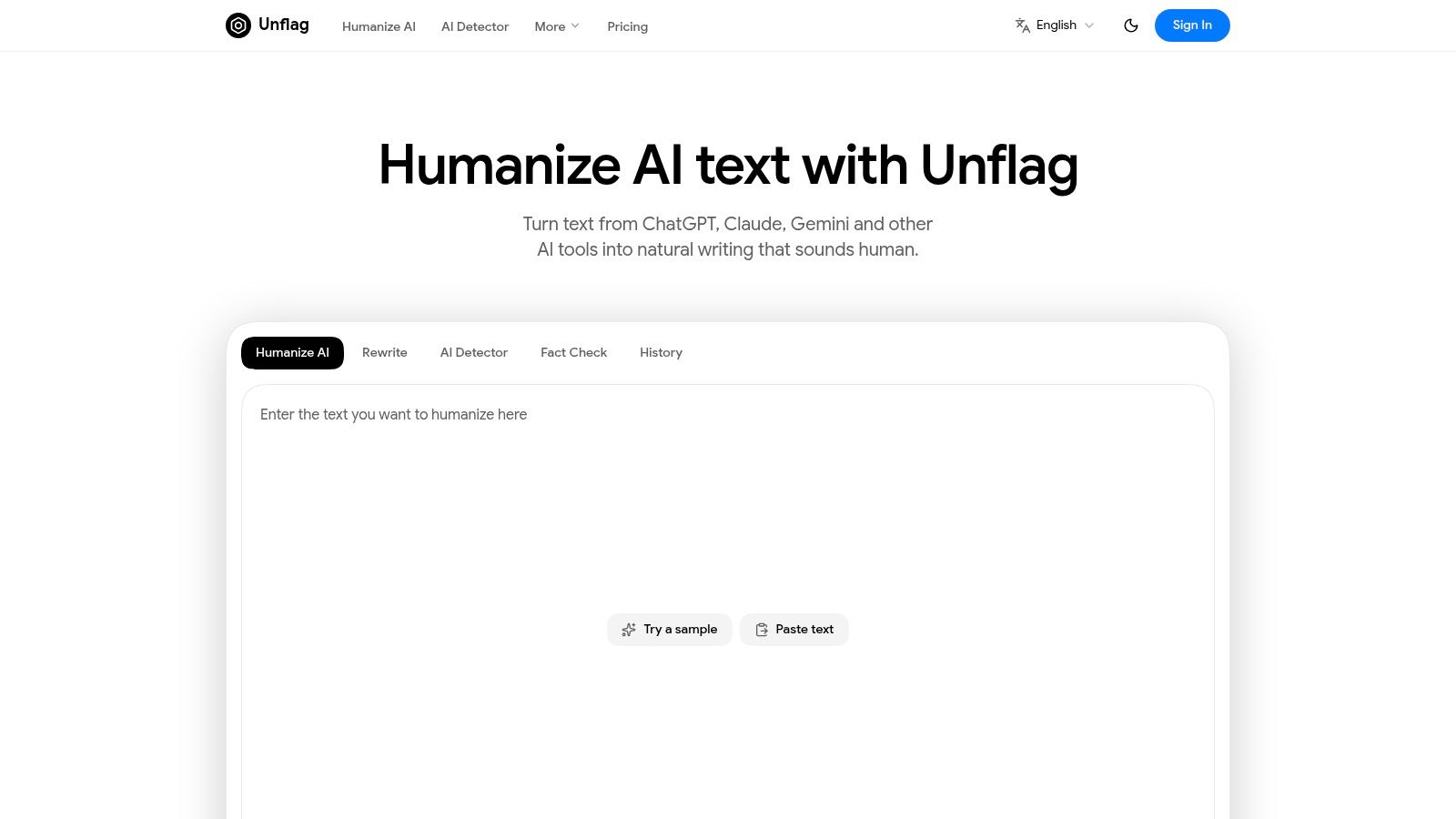
Unflag is the strongest all-in-one pick if you want to humanize AI text, check how it may score, and verify claims before submission. Its value is not just style. It sits in the messy middle between drafting and academic review, where meaning, disclosure, and factual support still matter.
Why it stands out for students
Unflag's Humanizer rewrites text from tools like ChatGPT, Claude, and Gemini while trying to preserve the original argument. Its AI Detector gives you a score before you submit, and its Fact Checker flags unsupported claims by cross-referencing web sources. That combination matters because AI-written text can sound polished while still containing weak or invented support.
Practical rule: If a rewrite changes tone but not thesis, you're using the tool correctly. If it changes your evidence or argument, stop and review.
The platform is designed for students, writers, and professionals who need natural prose across essays, emails, reports, and SEO drafts. It also supports many languages and has native iOS and Android apps, which helps when you need to clean up a paragraph on the move. Unflag says its most advanced model reaches 99.5% accuracy on essays and articles, and it offers a free tier plus a paid Unflag Plus plan with more usage and fact-checking.
Where it helps and where it doesn't
Use Unflag when the draft sounds mechanical, when you need to check likely detector behavior, or when you suspect a claim needs verification. Don't use it as a way to hide authorship or skip review, because detector outcomes can vary and rewriting never replaces judgment. The best workflow is to humanize, inspect the changes, then fact-check the result before you submit.
“A rewrite is only useful when the writer still understands every sentence.”
“A detector score is a signal to review your prose, not proof of authorship.”
If you want the fastest student-friendly workflow, Paste your text into Unflag's AI Humanizer, it's free. That's the easiest way to see whether the prose still sounds like you after revision.
2. QuillBot
QuillBot is the best-known paraphraser for users who want direct control over rewrite intensity. It works well when a draft is mostly correct but needs a tighter academic voice, fewer repeated phrases, or a different tone without a full rewrite.
Its strength is control. You can switch between rewrite modes, adjust synonyms, and compare versions side by side, which makes it easier to protect a thesis while changing the surface language. That's useful for students who already know what they want to say and just need cleaner phrasing.
Best use case for essay work
QuillBot helps most when you're polishing individual passages, not rebuilding a whole paper. It's strong for introductions, transitions, and paragraphs that repeat the same wording too often. The built-in grammar and summarization tools also make it convenient for a quick edit pass.
The trade-off is familiar. More aggressive settings can drift from the original nuance, so you still need to verify that a sentence hasn't been made broader, weaker, or more confident than the source material allows. Premium is where the serious value sits, so free users will hit limits quickly.
For students who want precision over automation, QuillBot is a good fit. For students who also need detector awareness and claim review, this QuillBot alternative with an AI detector is the more complete workflow.
3. Grammarly
Grammarly is less of a pure rewriter and more of a full writing suite. Its rewrite tools are useful when the goal is not just paraphrase, but a cleaner academic voice across grammar, style, and tone.
The biggest advantage is consistency. Grammarly works across browsers, desktop apps, and mobile, so the same document can move from rough draft to polished submission without switching environments. That makes it a practical choice for students who write in multiple places and need tone feedback along the way.
Where it fits in an academic workflow
Grammarly's paragraph-level rewrites are good for making prose more direct, more concise, or more formal. That helps when a paper feels wordy or uneven from section to section. The downside is that some of the suggestions can feel heavy-handed if you only want light touch edits.
It's most useful when grammar errors and style issues are part of the same problem. If the essay is already structurally sound but just needs polishing, Grammarly is efficient. If you need detector checking, factual verification, or deeper rewrite control, you'll still need another tool.
For students who want one environment for grammar plus rewrites, Grammarly remains strong. For students who care about claim checking and humanization in one place, compare it with Unflag's broader rewriting workflow.
4. Wordtune
Wordtune is built for rephrasing sentences and paragraphs quickly, which makes it a strong choice for readers who want alternate phrasings without much friction. It's especially useful for ESL users who want a passage to read more naturally in English.
Its interface is the point. You can scan several rewrites quickly, choose a tone, and insert the version that best matches the surrounding paragraph. That makes it practical for line edits, awkward transitions, and passages that feel translated rather than written.
What it does well
Wordtune is good at making dense text easier to read. It gives you enough variation to fix a sentence that feels clunky without overhauling the entire paragraph. That's helpful for students who write the ideas themselves but need help smoothing the language.
The main limitation is depth. It's not the best fit if you want a broad academic workflow with fact-checking, advanced style controls, or detector awareness. The free plan is also limited, so heavy use quickly pushes you toward paid access.
Use Wordtune when speed matters and the job is mostly cosmetic. It's a cleaner choice than a general-purpose generator for sentence-level rewriting, but it still needs human review for meaning and accuracy.
5. ProWritingAid
ProWritingAid fits students who want detailed diagnostics and controlled rewrites in one place. Its reports show what needs work before you touch the sentence. The Overused Words report, for example, helps spot repeated terms that make an essay sound flat or repetitive.
That matters in essay revision. You can check readability, passive voice, pacing, and repetition, then decide whether a paragraph needs trimming, expansion, or a tighter academic tone. For long drafts, that gives you more control than a single rewrite button.
Why it's different from lighter tools
ProWritingAid is built for revision, not just rewording. It works inside Google Docs, Word, and Scrivener, so students can edit where they already draft instead of copying text back and forth. That saves time and keeps the revision process closer to the original assignment.
The trade-off is complexity. Students who only want a quick sentence fix may find the interface heavier than they need, and the fuller experience sits behind paid access. It helps most when the essay needs structure and style changes at the same time.
For example, a sentence like “The project was good and very important” might be rewritten as “The project addressed a clear need and supported the course's main argument.” That is cleaner, but the student still has to check whether the claim is accurate and whether the tone matches the rest of the essay.
6. DeepL Write
DeepL Write is one of the best options for making text feel fluent and idiomatic, especially for non-native English writers. It focuses on clarity, style, and tone, which is exactly what many student essays need when the ideas are strong but the phrasing feels uneven.
The main advantage is naturalness. DeepL's writing tools are good at producing lines that read like they were drafted in the target language rather than translated word for word. That matters in academic work, where awkward phrasing can distract from a good argument.
Best fit for multilingual writers
DeepL Write is especially useful when you're moving from another language into English and want the result to sound native without becoming overly decorative. It also plugs into common writing surfaces, which makes it easy to use inside everyday workflows.
Its limitation is scope. The product is strongest as a fluency tool, not a full academic workbench. If you need claim checking, citation review, or detailed rewriting controls, you'll still need something else in the stack.
For multilingual students who want cleaner English with minimal fuss, DeepL Write is a strong pick. For those same users, detector-aware revision still belongs in a separate review step.
7. LanguageTool
LanguageTool is a multilingual writing assistant with a built-in paraphrasing feature that's straightforward and easy to understand. It's useful when you want to tune academic register quickly, especially across different languages or mixed writing environments.
The categories are the selling point. Options like formal, concise, fluent, and simple map neatly to common essay-editing tasks. That makes it easier to pick the right kind of change instead of relying on a vague rewrite prompt.
Where it helps most
LanguageTool is a practical choice for students who want a clean, no-nonsense editor that can support more than one language. It's also competitive on pricing relative to some larger suites, which makes it attractive for lighter academic use.
The trade-off is depth. Some rephrasing features sit behind Premium, and the broader advanced checks also require a subscription. For heavy users, the lower barrier to entry can disappear once you start leaning on the tool often.
If you want a simple way to make a sentence more formal or fluent, LanguageTool does the job well. If you want a full humanize-and-check workflow, it's better as a supporting editor than as the main system.
8. Ginger Software
Ginger Software is a long-running writing assistant with a Sentence Rephraser, grammar checking, synonyms, translation, and text-to-speech. It's a practical option for quick line edits, especially when you're typing on multiple devices.
Its value is simplicity. Ginger lets you rephrase awkward lines without a lot of setup, which is good for students who just want a faster path to a cleaner sentence. The mobile keyboard support also makes it useful for short edits outside a desktop workflow.
Best for quick cleanup
Ginger is helpful when the issue is one sentence at a time. It's less flexible than mode-based rewrite tools, but it can be enough for smoothing a rough paragraph or correcting clumsy phrasing on the fly.
The downside is control. If you want detailed rewrite choices or high-volume editing, the tool feels limited. Premium is where the stronger usage sits, so power users may outgrow the free experience fast.
Use Ginger for convenience, not deep revision. It's a decent line-edit companion, but it isn't the place to manage thesis-level accuracy or claim verification.
9. Sapling
Sapling is aimed more at professional communication, but its paraphraser is useful for students who want tone-specific rewrites and a developer-friendly workflow. It offers a web paraphraser plus a Rephrase API, which makes it stand out from many consumer tools.
That API angle matters if you're building custom workflows or handling large volumes of text. For individual students, the web version is the relevant part, especially when you need a quick formal, casual, or concise rewrite.
Good for flexible tone control
Sapling works well when you want predictable tone shifts without a lot of clutter. It also includes other free writing utilities, which makes it handy as a utility hub rather than a single-purpose editor.
The downside is positioning. Because it leans toward business use, the product can feel more like a team tool than a student-first essay helper. Pricing details are also less transparent than some competitors, which makes evaluation harder.
For students who write like professionals, Sapling can be useful. For students who need academic checking, it's not as complete as a dedicated essay workflow.
10. Scribbr Paraphrasing Tool
Scribbr's Paraphrasing Tool fits students who need a fast, academic-sounding rewrite for a sentence or short paragraph. It is free and straightforward, so you can clean up wording without learning a new interface.
A practical workflow helps here. Draft the paragraph, run it through Scribbr, then compare the version side by side with your source and with a detector reference such as what AI detector do colleges use. That sequence matters because paraphrasing can fix phrasing while leaving weak claims, awkward logic, or citation gaps untouched.
Best for short student rewrites
Scribbr is useful for targeted edits, not a full essay overhaul. A student can use it to soften repetitive phrasing in one section, then move to proofreading or citation checks in another tool.
The limit is scope. Free use restricts input length, so longer essays need to be broken into parts or handled elsewhere. That makes Scribbr better for paragraph-level revision than for rebuilding structure, tightening argument flow, or checking whether a claim needs support.
For quick academic paraphrases, Scribbr does the job. Human review still has to catch unsupported claims, fix transitions, and confirm that the rewrite still matches the assignment brief.
Top 10 AI Essay Rewriters Comparison
| Tool | Key features | UX & quality | Pricing / Value | Best for | Unique differentiator |
|---|---|---|---|---|---|
| Unflag (Recommended) | Humanizer, AI Detector, Fact Checker, Paraphraser, iOS/Android apps | Natural, multilingual output; claims 99.5% accuracy on essays | Free tier (limited); Unflag Plus $45.99/yr (~$3.83/mo), 45× usage, no ads | Students, non‑native speakers, marketers, professionals | All-in-one: humanize + detector + built‑in fact‑checking, native mobile apps, GDPR & PCI-compliant payments |
| QuillBot | Mode-based paraphrasing, synonyms slider, grammar, summarizer | Fine control, side‑by‑side comparisons | Free limited; Premium unlocks advanced modes & higher limits | Writers needing tone control and precise paraphrase | Detailed mode slider and compare view for tuning rewrite intensity |
| Grammarly | Sentence/paragraph rewrites, tone suggestions, grammar, cross‑platform apps | Robust style/grammar feedback, consistent academic voice | Free basic; Premium/Business for full features | Broad users: students, professionals, content creators | Industry-standard writing suite with broad integrations and AI agents |
| Wordtune | Alternate phrasings, tone & length controls, browser integrations | Quick, diverse rewrite options; ESL-friendly | Free limited; paid for full access | ESL users, quick sentence/paragraph polishing | Rewrite-first UX with easy tone/length toggles |
| ProWritingAid | Rephrase types, deep style reports, integrations (Docs, Word) | Strong diagnostics for long‑form, controlled rewrites | Paid tiers (Premium/Premium Pro) for unlimited rephrases | Long-form writers, academics, editors | Rich analytics (readability, repetition, pacing) plus targeted rephrases |
| DeepL Write | Correctness, tone, fluency suggestions, multilingual support | Very natural, idiomatic rewrites (strong for ESL) | Free/basic; Pro/Write Pro for advanced features | ESL writers seeking idiomatic English | DeepL's translation‑grade fluency and language variety support |
| LanguageTool | Paraphrasing presets (Formal, Fluent, Concise), many languages | Clear, preset-driven rephrasing; multi‑language checks | Free limited; Premium raises limits, competitive pricing | Multilingual users, quick academic register edits | Broad language support with simple category presets |
| Ginger Software | Sentence rephraser, grammar, synonyms, translation, TTS | Fast, simple paraphrasing; good mobile typing support | Free limited; Premium for unlimited use | Mobile users, quick line edits | Mobile keyboard, translation and text‑to‑speech bundled |
| Sapling | Web paraphraser, tone options, Rephrase API for devs | Business-oriented UX, reliable tone presets | Free utilities; business tiers & API (pricing varies) | Teams, devs integrating paraphrase into apps | Rephrase API + enterprise-focused workflow and tooling |
| Scribbr Paraphrasing Tool | Free student paraphraser, upload option, academic aids | Minimal UI, student-focused, input limits | Free with per-input limits (e.g., ~125 words) | Students needing quick academic rewrites | Student-centric tool tied to Scribbr's citation/proofreading services |
Rewrite With Control, Then Verify Every Claim
If you need one tool that covers rewriting, detection, and claim checking, Unflag is the most complete option here. If you mainly want rewrite control, QuillBot is the closest specialist. For broader editing, Grammarly and ProWritingAid are stronger. For multilingual refinement, DeepL Write and LanguageTool stand out. For short student rewrites, Scribbr stays simple and useful.
Best tool by job
- Unflag: Humanizing AI drafts, checking likely detector behavior, and fact-checking claims in one place.
- QuillBot: Fine rewrite control for tone and sentence variation.
- Grammarly and ProWritingAid: Broader editing, grammar, style, and structure.
- DeepL Write and LanguageTool: Multilingual refinement and fluent academic phrasing.
- Scribbr: Short, student-friendly paraphrases.
A strong rewrite process still needs judgment. The tool can change wording, but the student has to preserve the thesis, verify citations, and decide whether the edited paragraph still reflects the original argument. That's especially true in a policy environment where universities are still catching up, and detector scores can be misleading for non-native writers, as shown by the false-positive patterns reported in the 2023 detector research ScienceDaily summary of the TOEFL detector study.
A repeatable rewrite workflow
- Draft the argument first. Write the thesis, supporting points, and evidence before you rewrite anything.
- Rewrite only the sections that need it. Focus on clarity, flow, and tone, not total replacement.
- Check whether meaning changed. If a sentence becomes more confident than your evidence, change it back.
- Review claims and citations. If the tool adds a fact you can't defend, remove it.
- Run a final human edit. Read for voice, discipline terms, and any line that now sounds unnatural.
Practical rule: The fastest rewrite is not the safest rewrite. The final fact check still belongs to the writer.
Final checklist before submission
- Thesis accuracy: The rewritten version still says what I intended.
- Evidence: No unsupported claim slipped into the draft.
- Citations: Sources are still attached to the right statements.
- Voice: The essay still sounds like me, not like a template.
- Proofreading: Grammar, punctuation, and terminology are clean.
“A paraphrase is useful only when the argument remains yours.”
“The fastest rewrite is not the safest rewrite.”
“A detector score is a signal to review your prose, not proof of authorship.”
FAQ
What does an AI essay rewriter do?
An AI essay rewriter changes wording, sentence flow, and tone while trying to preserve the original meaning. Good tools help with clarity, concision, and structure. The writer still has to protect the thesis, verify any new claims, and make sure the final version matches the assignment rules.
Can rewriting change the meaning of an essay?
Yes. Even a small wording change can shift emphasis, weaken evidence, or make a claim sound stronger than the source material supports. That's why rewrites should be reviewed sentence by sentence, especially in academic writing where precision matters more than style alone.
How can students avoid plagiarism when using a rewriter?
Use the tool to improve your own draft, not to disguise copied work. Keep notes, outlines, and source records, then make sure every borrowed idea still has a citation. If a rewrite introduces new wording for a sourced idea, the citation should stay attached to that sentence.
Are AI detectors reliable?
Not fully. Detector scores can help you decide what to review, but they shouldn't be treated as proof. The evidence shows that some detectors can misclassify human writing, especially from non-native English writers, so the score is only one signal among drafts, notes, and revision history.
How do you fact-check a rewritten essay?
Read every sentence that contains a claim, then compare it with your sources or a fact-checking tool. If the rewrite adds a detail you didn't originally support, remove it or verify it with a source. This step matters most when the draft came from an AI assistant.
When is human editing still necessary?
Always, if the essay will be submitted, published, or graded. Human editing is where you protect meaning, tighten logic, check sources, and make sure the final draft matches the assignment brief. A tool can help with phrasing, but it can't replace responsibility for the text.
Which tool is best for students who want one workflow?
Unflag is the best fit if you want humanizing, AI detection, and fact-checking together. That makes it easier to revise a draft, check how it may score, and review claims without bouncing between separate tools.
Paste your text into Unflag if you want the most practical all-in-one workflow for rewriting student essays. It helps you humanize AI drafts, check detector behavior, and catch unsupported claims before they turn into submission problems. If you're comparing tools for academic writing, start there and test your own paragraph side by side.
More guides
View all10 Fact Checking Tools for Journalists and Writers in 2026
Compare 10 fact checking tools for journalists and writers in 2026, with pros, cons, and workflows for checking images, sources, claims and numbers.
Best AI Rewriter in 2026: 7 Tools Compared
Best AI Rewriter tools for 2026, ranked with criteria, pros, cons and use cases. See how Unflag, QuillBot, Grammarly and more handle AI text.