By Unflag Team
Best AI Writing Tools for Students: 10 Picks for 2026
Compare 10 AI Writing Tools for Students, covering drafting, humanizing, citations and AI detection, with honest pros and cons for each.
At 11 pm, a student is staring at a ChatGPT draft, the deadline is in the morning, and the document still sounds like a machine wrote it. That's exactly where ai writing tools for students earn their keep. The practical jobs are simpler than the marketing copy suggests: draft the first version, humanize robotic text, help with citations, and check for AI patterns and unsupported claims.
This list ranks ten tools around those four jobs. Unflag comes first because it combines a humanizer, paraphraser, AI detector, and fact checker in one place, and it's built for students who need text that reads naturally without skipping the accuracy check. You can start with Unflag, then compare the rest of the stack against what your assignment needs.
The picks below are based on each product's listed features and limits, plus the way students really use these tools in class, on campus, and under deadline. Every pro and con here comes from the tools' own stated capabilities, not guesswork.
Table of Contents
- 1. Unflag
- 2. Grammarly
- 3. QuillBot
- 4. Wordtune
- 5. ProWritingAid
- 6. LanguageTool
- 7. Smodin
- 8. Jenni AI
- 9. Paperpal
- 10. Writesonic
- Top 10 AI Writing Tools for Students: Feature Comparison
- Matching a Tool to Your Next Assignment
- FAQ
1. Unflag
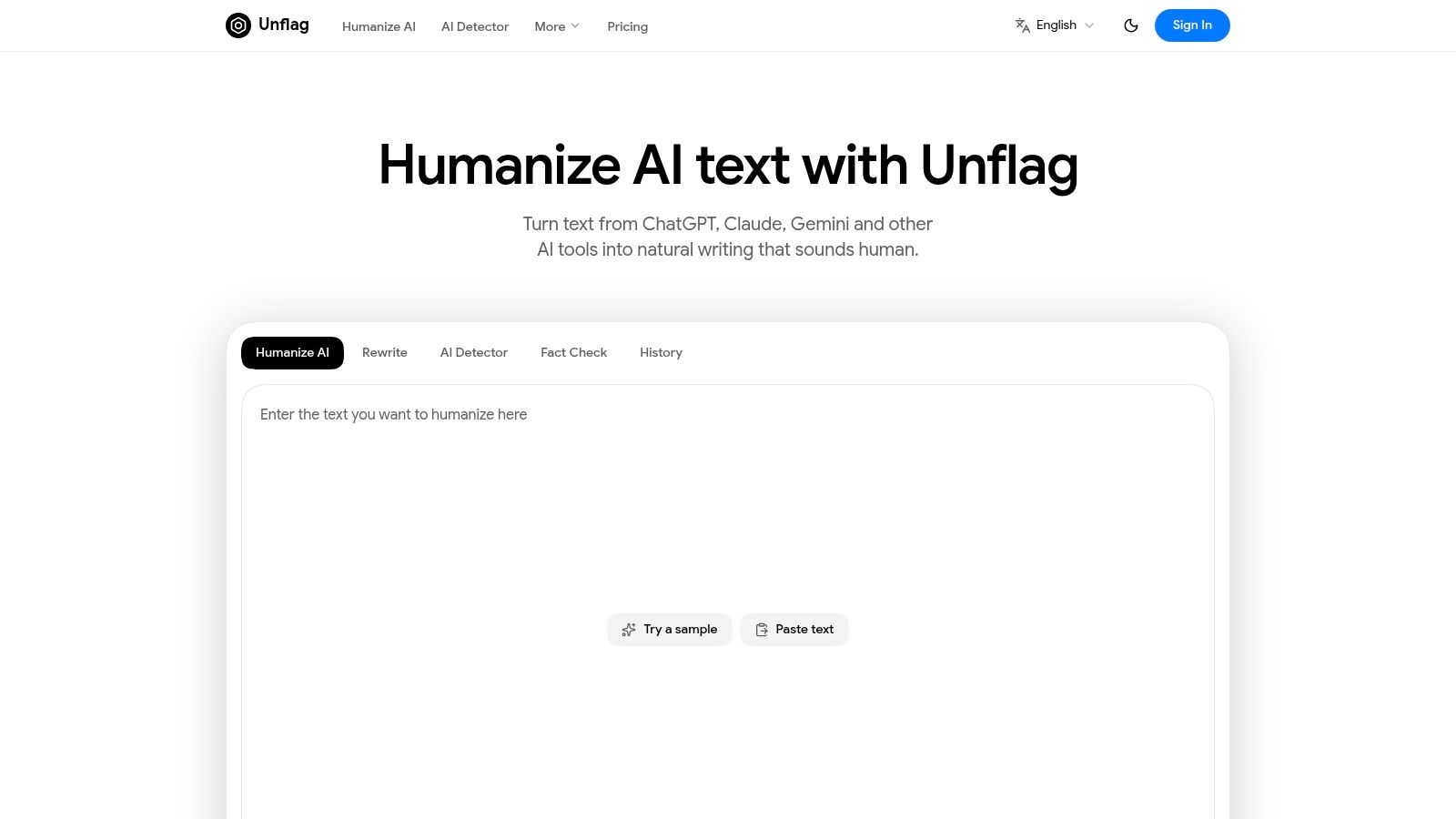
A student with a ChatGPT draft open and a deadline coming fast needs more than a single rewrite button. Unflag covers the three jobs that matter most at that point, it humanizes stiff AI text, checks for AI patterns, and reviews claims with a web-based fact checker. It also paraphrases, so you can repair a draft without starting over.
The workflow is the main reason to look at it first. Many student tools handle only one step and push the rest somewhere else. Unflag keeps revision, detection, and fact checking in one place, and it supports English, Spanish, Chinese, Arabic, and other languages. Native iOS and Android apps also make it usable on a phone or tablet when a laptop is not in front of you.
Practical rule: If your draft sounds fluent but feels generic, humanize it first, then run a fact check before you submit.
The free plan covers humanizing, rewriting, and detection up to 600 characters at a time. Unflag Plus adds the fact checker, longer text limits, 45× more usage, and an ad-free experience. The annual plan is listed at $45.99 and $3.83 per month, with 57% less than monthly billing shown on the product page. Unflag says its most advanced model is 99.5% accurate on essays, reports, research papers, and articles, and the site says it has more than 30,000 users worldwide.
Unflag handles the balance students need. It helps AI text read as human, though results on detectors like GPTZero and Turnitin can still vary. That caution matters, because a rewritten paragraph can still behave differently in another checker. The product's stance is better than tools that promise a clean pass and leave the student with a false sense of safety.
Paste your text into Unflag's AI Humanizer to get a free, more natural version before you edit.
Pros:
- All-in-one workflow: Humanizer, paraphraser, AI detector, and fact checker in one service.
- Broad language support: Useful for multilingual students and non-native English speakers.
- Flexible access: Free tier plus Plus with longer limits and more usage.
- Mobile convenience: Native apps for editing and checking on the go.
- Student-friendly positioning: Built for essays, reports, research papers, and articles.
Cons:
- Free limit is tight: The 600-character cap is fine for snippets, not long drafts.
- Fact checking is paid: You'll need Plus for the built-in fact checker.
- No guarantee claims: Rewritten text can still vary in how third-party detectors read it.
Website: Unflag
Where Unflag fits in a student workflow
Use it after the first draft is in place, not before. The student still owns the argument, the sources, and the final submission. Unflag works best as the repair layer, where you clean up awkward phrasing, check claims, and reduce the odds of submitting text that sounds machine-made.
2. Grammarly
Grammarly is the broadest “always on” option for students who write everywhere, not just in one editor. It gives grammar, clarity, tone, and sentence-level rewrite suggestions, plus plagiarism and AI-text checks. The Authorship report is the feature students should pay attention to, because it can help show an instructor how a document was written.
Its real strength is coverage. Grammarly works in browsers, Google Docs, Word, and on mobile, which makes it easy to keep using across campus workflows. That matters when students are bouncing between class notes, research drafts, and final submissions.
The trade-off is familiar. The free version is useful, but the full feature set sits behind a paid plan. It can also feel heavy in some browsers, especially when multiple extensions are already active.
Use Grammarly when you want a general writing assistant that nudges you toward cleaner prose without changing your whole process. It's strong for everyday revision and study help, but it's not the same thing as a dedicated humanizer and fact checker. For students comparing rewrite tools, this Unflag comparison with a dedicated rewriter is the more focused alternative.
Pros:
- Wide integrations: Browser, Google Docs, Word, and mobile support.
- Learning value: The feedback can help students improve over time.
- Authorship support: Helpful when a professor asks how a paper was built.
- Flexible use cases: Grammar, tone, and AI-text checks in one place.
Cons:
- Paid plan pressure: The full feature set isn't free.
- Can feel heavy: Browser performance can dip.
Website: Grammarly
3. QuillBot
QuillBot is the tool many students reach for first when they need to rephrase a paragraph or clean up a source note. Its paraphraser, citation generator, summarizer, and grammar checker make it a practical student workspace, and its Co-Writer adds a research-to-draft flow that's useful when you're still assembling ideas.
Best use cases for QuillBot
It works well for:
- Paraphrasing class notes: Good when you need a cleaner version of an idea without rewriting from scratch.
- Citation cleanup: The citation generator supports APA, MLA, and Chicago.
- Research drafting: Co-Writer keeps notes and drafting closer together.
- Multilingual support: Helpful when English isn't the student's strongest writing language.
The weak point is the same one that shows up in a lot of paraphrasers. Good rewording still needs human review for tone and accuracy. Premium opens the best modes and higher usage limits, so the free tier is more of a sampler than a complete solution.
For students who want a simpler paraphrase workflow, Unflag's paraphrasing tool gives a useful benchmark to compare against. QuillBot is still a solid choice, but it's strongest as a writing support tool, not a final-quality checker.
Pros:
- Simple interface: Easy to use for paraphrasing and citation tasks.
- Research-plus-writing flow: Co-Writer helps connect sources to drafts.
- Student-friendly output: Useful for non-native writers who need rephrasing support.
Cons:
- Premium gates the best modes: The free tier has limits.
- Human review still required: Paraphrased text can drift in tone or meaning.
Website: QuillBot
4. Wordtune
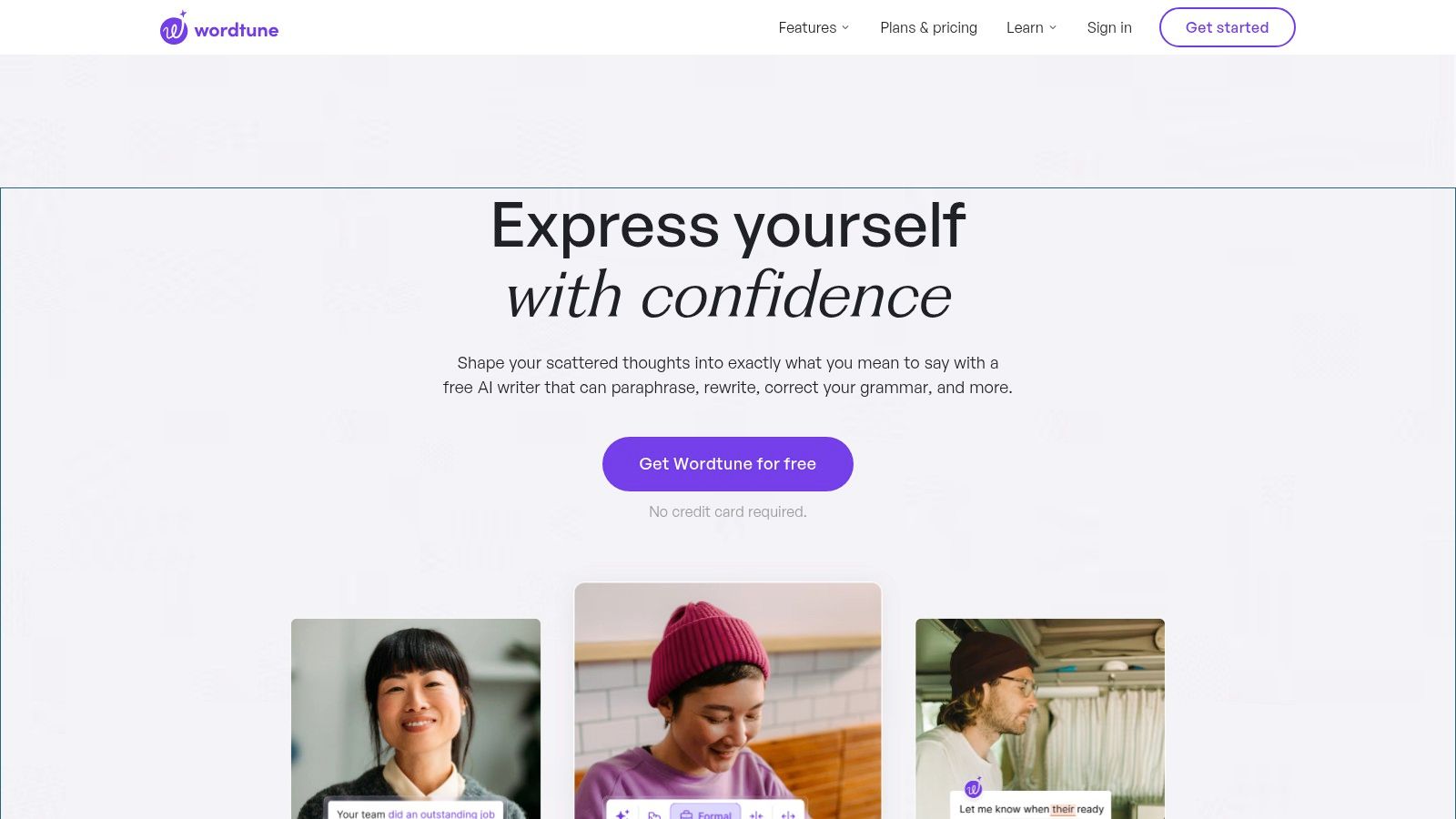
Wordtune is built for students who know what they mean but don't like how the sentence sounds. It rewrites for clarity, adjusts tone, shortens or expands passages, and summarizes webpages, documents, PDFs, and YouTube transcripts. That makes it especially handy for reading-heavy classes where students need to process material before they can write about it.
The summarizer is the feature that stands out. It helps with essay prep, exam revision, and turning long source material into something usable for notes. The browser extension and web app keep it easy to apply while you're reading or drafting.
Practical rule: Use Wordtune to sharpen language, not to replace your ideas. If the rewrite changes the argument, stop and edit manually.
The limitations are straightforward. Advanced rewriting features sit behind a paid plan, and there isn't a built-in plagiarism checker. Students who want one tool for shaping prose and checking claims may find that gap annoying.
Wordtune works best for clarity and compression, especially when you're trying to make your own thinking sound less clunky. It's less useful if you need a full academic workflow with source checks built in.
Pros:
- Meaning-preserving rewrites: Good for preserving your original point.
- Useful summarizer: Strong for reading and revision.
- Student discount: A verified student and educator discount is available.
Cons:
- Paid-plan limits: The best features aren't free.
- No plagiarism checker: You'll need another tool for text-source review.
Website: Wordtune
5. ProWritingAid
ProWritingAid is the strongest choice here for students writing long papers. Its reports go deep on style, clarity, structure, readability, passive voice, and overused words, which makes it useful for essays, theses, and capstone projects that need more than a quick polish. The platform also includes AI tools on higher tiers, plus desktop and web apps with major integrations.
The point of ProWritingAid is not speed, it's diagnosis. Students who want to understand why a draft feels bloated or repetitive will get more from this than from a lightweight grammar checker. The detailed reports can be especially helpful when a paper has grown past a few pages and the issues are structural rather than local.
What to expect
- Depth over speed: Excellent for long academic documents.
- More than 20 reports: Useful for clarity, structure, and style review.
- Higher-tier AI features: Sparks and Chapter Critique are not on every plan.
- English-only checks: That's a real limitation for multilingual students.
The lifetime license option is a plus for students who keep writing across semesters. Still, the best AI features live on higher tiers, so the tool feels less accessible than some lighter alternatives.
Website: ProWritingAid
6. LanguageTool
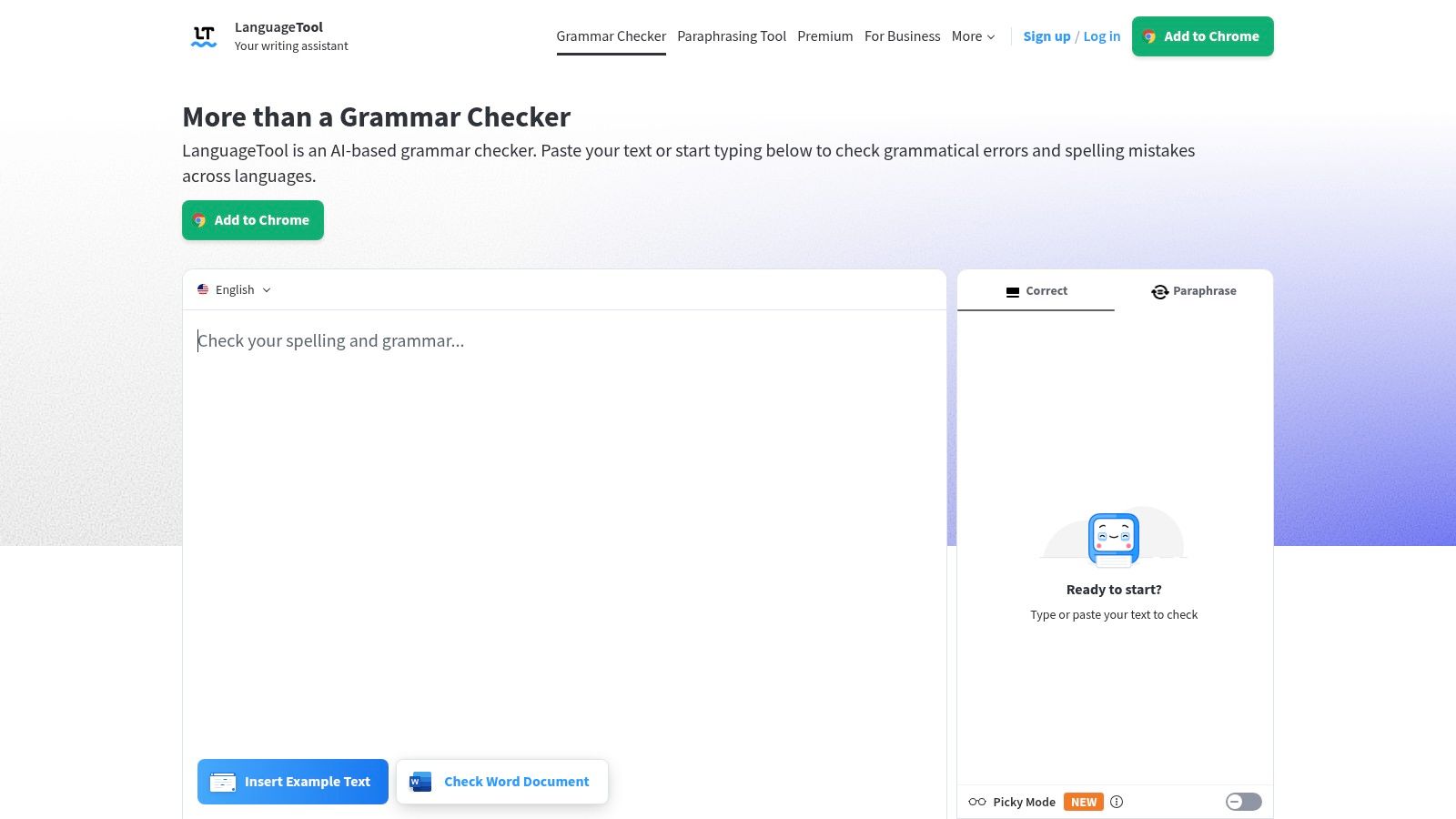
LanguageTool is the multilingual pick in this list. It checks grammar and style across many languages, which makes it especially valuable for international students and anyone switching between languages in academic work. It also includes AI-based paraphrasing and rephrasing, plus writing goals and statistics in its editor.
The integrations are part of the appeal. LanguageTool fits into browsers, word processors, and email, so it's easy to use while drafting messages, discussion posts, and short assignments. The educational discount helps if the student qualifies.
What it doesn't do as well as the top all-in-one tools is go beyond language correction. It's strong for clean prose and clearer phrasing, but it doesn't try to be a full academic research workspace.
For students who need help making writing sound more natural in multiple languages, this is a practical option. For students who need AI detection or fact checking, it needs to sit beside another tool.
Pros:
- Strong multilingual coverage: Better than English-only tools for many students.
- Clearer academic language: Rephrasing can improve readability.
- Educational discount: Helpful if you qualify.
Cons:
- Advanced features are limited: Premium gives access to more of the useful stuff.
- Not a full workflow tool: You'll need something else for detector and fact-check tasks.
Website: LanguageTool
7. Smodin
Smodin is the broad student suite on this list. It bundles drafting, rewriting, chat-based study help, translation, and checking tools, so it can cover a lot of assignment types from one account. The AI Writer can handle first drafts and outlines, which makes it useful when the student is starting from nothing.
The catch is quality control. A tool that does a lot can also do some of it unevenly, and Smodin's output needs careful review. That's especially true if you're using the humanizer or detector-bypass style features, because those raise obvious ethical questions and don't remove the need for the student's own judgment.
Practical rule: If a tool promises speed across every assignment type, read the draft twice and verify the sources once more.
Smodin is useful for multilingual study work and quick brainstorming, especially when students need a starting point and not a polished final answer. It's less convincing when the work has to sound precise, academic, and fully traceable.
For students comparing student-first rewriting tools, Unflag's essay rewriter is the tighter option if the goal is natural language plus checking.
Pros:
- Broad toolkit: Drafting, rewriting, translation, and chat in one place.
- Study support: Useful for Q&A and multilingual work.
- Free tier: Easy to try without committing.
Cons:
- Quality varies: Output needs human review.
- Ethical use matters: Detector-bypass style claims deserve caution.
Website: Smodin
8. Jenni AI
Jenni AI is built for students writing research papers and long-form academic work. It supports AI autocomplete in the editor, PDF uploads, source-aware drafting, and built-in citations with more than 10,000 styles. That makes it much more academic than a generic content writer.
The advantage is structure. Jenni keeps source handling close to drafting, which is where many students lose time. If you're building an argument from articles and PDFs, that workflow is useful.
Why students pick Jenni AI
- Academic focus: Designed around research papers and source-based writing.
- Citation support: Large citation library for formal papers.
- PDF handling: Helps keep literature in the same workflow.
- Plan clarity: Usage limits are stated, which reduces surprises.
The downside is that the best experience requires a paid plan, and it's web-first. Students who want heavy mobile use or a broad local app ecosystem may find that limiting.
Jenni is a better fit for students who already think in outlines, sources, and citations. It's less helpful for quick rewrites or casual editing.
Website: Jenni AI
9. Paperpal
Paperpal is the most academic-English-oriented tool in the group. It gives real-time language and clarity suggestions for essays, research papers, and theses, along with structured feedback and fact-checking guidance for research writing. It also has institution-ready licensing options, which is useful when a department wants consistency across student work.
The free plan is better than a token trial because it includes defined monthly allowances. That makes Paperpal easier to test in real coursework rather than in a one-off demo.
Its limits are predictable. The strongest features and higher usage caps sit behind paid plans, and it's focused on academic English rather than creative writing. That focus is a strength if you're writing literature reviews or research reports, but it's not the right fit for every assignment.
Paperpal belongs on the short list for students who want polished academic tone without drifting into generic AI phrasing. It's especially useful when the assignment has formal conventions and the professor expects clean, research-ready language.
Pros:
- Academic-specific feedback: Good for essays and literature reviews.
- Free monthly allowance: Enough to test real use.
- Institution-friendly: Licensing options are available.
Cons:
- Paid plans offer more: The strongest features cost more.
- Narrower focus: Less useful for non-academic writing.
Website: Paperpal
10. Writesonic
Writesonic is the outlier in this list, and that's why it still belongs here. It's more of a content and SEO platform than a classic essay tool, but it can help students in marketing, communications, or journalism build outlines, structured drafts, and brand-aware content. The SEO guidance is the part that makes sense for web-facing coursework.
This is the tool you'd pick when the assignment looks more like publication work than a standard class paper. It can support long-form content generation, team workflows, and site-audit style tasks, which are useful in professional content classes.
The downside is clear. The feature set can feel heavy for basic essay writing, and the pricing tiers skew toward professional and SEO use. If your assignment is a standard academic paper, this is probably too much tool and not enough focus.
Writesonic works best when the student is writing for an audience, not just for a grade. That distinction matters more than most tool roundups admit.
Website: Writesonic
Top 10 AI Writing Tools for Students: Feature Comparison
| Tool | Core Capabilities | Standout Strength | Best For | Pricing / Access |
|---|---|---|---|---|
| Unflag (Recommended) | Humanizing, paraphrasing, AI detection, and fact-checking | Multilingual tools, native iOS and Android apps; advanced model claims 99.5% accuracy | Students, multilingual writers, marketers, and professionals | Free tier; Plus from $45.99/year |
| Grammarly | Grammar, style, rewriting, plagiarism and AI checks | Broad integrations and authorship reports | Students seeking writing feedback | Free tier; full features require paid plan |
| QuillBot | Paraphrasing, grammar, summaries, citations, and detection | Research and drafting tools in one workspace | Students and non-native writers | Free tier; higher limits require Premium |
| Wordtune | Rewriting, tone controls, grammar fixes, and summaries | Summarizes webpages, documents, PDFs, and videos | Students clarifying or condensing text | Free tier; advanced features are paid |
| ProWritingAid | Style, readability, and structure reports | Detailed feedback for long documents | Writers of essays, theses, and capstone papers | Free options; paid plans and lifetime license |
| LanguageTool | Grammar, style, and paraphrasing | Broad multilingual support | International and multilingual writers | Free tier; Premium adds features |
| Smodin | Drafting, rewriting, humanizing, chat, and detection | Broad assignment and study toolkit | Students needing varied writing tools | Free tier; paid plans add access |
| Jenni AI | Academic drafting, citations, PDF handling, and autocomplete | Research-focused workflows and citation styles | Research-paper and long-form writers | Free plan; paid plans offer more usage |
| Paperpal | Academic language editing and structured feedback | Suggestions tailored to academic writing | Essay, thesis, and research-paper writers | Free plan with limits; paid plans expand access |
| Writesonic | Article drafting, outlines, brand voice, and SEO tools | Content and SEO features for teams | Marketing, communications, and journalism students | Free trial; plans geared toward professional use |
Matching a Tool to Your Next Assignment
The fastest way to choose from ai writing tools for students is to map the tool to the job, not the brand. Pick one tool for drafting, one for humanizing or rewriting, and one for citation or source support. Then run the final draft through an AI detector and a fact check before you submit anything.
That workflow matches how students write. The data shows AI use is now mainstream, but the same evidence also shows students still need judgment, revision, and verification. A student survey from the Digital Education Council found that 86% of respondents regularly used AI in their studies, while 54% used it at least weekly and 24% used it daily; it also found that 42% used AI to check grammar, 28% to paraphrase documents, and 24% to create a first draft of a submission, with students using an average of 2.1 AI tools for their courses (Digital Education Council Global AI Student Survey 2024). That's not a one-tool world. It's a workflow world.
Students also need to think about policy before they think about polish. UNESCO's global survey found that fewer than 10% of schools and universities had formal guidance on generative AI, and only about 13% of universities and 7% of schools reported some guidance (UNESCO survey on formal AI guidance). If your course rules aren't clear, don't guess. Check the syllabus, check the department page, and keep a record of your prompts, drafts, and revisions.
Practical rule: The safest student workflow is not “use AI less.” It's “use AI more transparently, then prove what you changed.”
Here's the decision path that works:
- Draft with one tool if you need structure or a starting point.
- Humanize the text if the tone sounds mechanical or repetitive.
- Check citations and claims if the paper relies on facts, research, or outside sources.
- Review authorship evidence if your instructor asks how the paper was written.
- Read the assignment policy before you submit, not after.
For most students, Unflag is the most efficient first stop because it bundles humanizing, paraphrasing, AI detection, and fact checking together. Paste your text into Unflag's AI Humanizer, it's free, and use the result as a cleaner starting point before you submit. If you only want one tool to reduce robotic phrasing and catch weak claims, that's the one to try first.
FAQ
What are the best ai writing tools for students?
The best tools depend on the job. Unflag is the strongest all-in-one option for humanizing, paraphrasing, detecting AI text, and checking claims. Grammarly, QuillBot, and Wordtune are strong for general revision, while Jenni AI and Paperpal fit academic writing better.
Can students use AI writing tools without getting in trouble?
Yes, if the assignment rules allow it and the student keeps the work honest. Use AI for brainstorming, outlining, or editing when permitted, then keep your own argument, sources, and final claims. Always check your syllabus or instructor guidance first.
Is an AI detector enough to prove a student wrote the paper?
No. Detector scores are only signals, not proof. Turnitin says its model can misidentify human-written, AI-generated, and AI-paraphrased text, so students and teachers should treat scores as review prompts, not final evidence of authorship.
Which tool is best for paraphrasing student essays?
Unflag and QuillBot are the most practical paraphrasing options here. Unflag adds detection and fact checking, which makes it better for final review. QuillBot is easier for quick rewording and citation support, especially during early drafting.
What should students check before submitting AI-assisted work?
Check the assignment policy, review every claim, confirm citations, and save your prompt and revision history. If the paper was AI-assisted, make sure the use fits the course rules. A final AI detector pass and fact check can catch weak spots before submission.
Do multilingual students need different writing tools?
Often, yes. LanguageTool and Unflag are especially useful because they support multiple languages and clearer rewriting. Multilingual students also need tools that help with grammar without stripping out their intended meaning or forcing awkward phrasing.
What's the safest way to use AI for school writing?
Use AI as a helper, not a ghostwriter. Draft, revise, verify, and disclose if your school requires it. Keep human judgment in the loop, especially for citations, facts, and the final version you hand in.
Unflag gives students one place to humanize AI text, paraphrase drafts, check for AI patterns, and verify claims before submission. If you want a cleaner, more natural paper without juggling separate tools, visit Unflag and run your draft through it before the deadline.
More guides
View allHow to Humanize AI Generated Text Without Losing Meaning
Learn how to humanize AI generated text with proven techniques, real before and after examples, and a workflow that preserves facts, voice, and accuracy.
AI Content Detector: How It Works and What Your Score Means
Learn how an AI content detector scores text, why results vary, and what limits to expect. Practical guidance for interpreting detector output in 2026.
10 Best AI Text Rewriter Free Tools for 2026
Compare the best AI text rewriter free tools for 2026, with word caps, privacy limits, before-and-after examples and tips for reliable rewrites.
Paraphrasing Tool Free: 10 Options Compared for 2026
Compare the best paraphrasing tool free options on quality, languages and privacy. See limits, pros and cons, and where Unflag fits in 2026.